
Build the buildings too.
Wayline Object Builder is a small, separate app for making the houses, shops, walls and garden bits that go along your roads. Trace a building on the map, shape it with simple drag tools, cover it in real British materials and photos, and export each object ready for OMSI 2 and Wayline Studio.
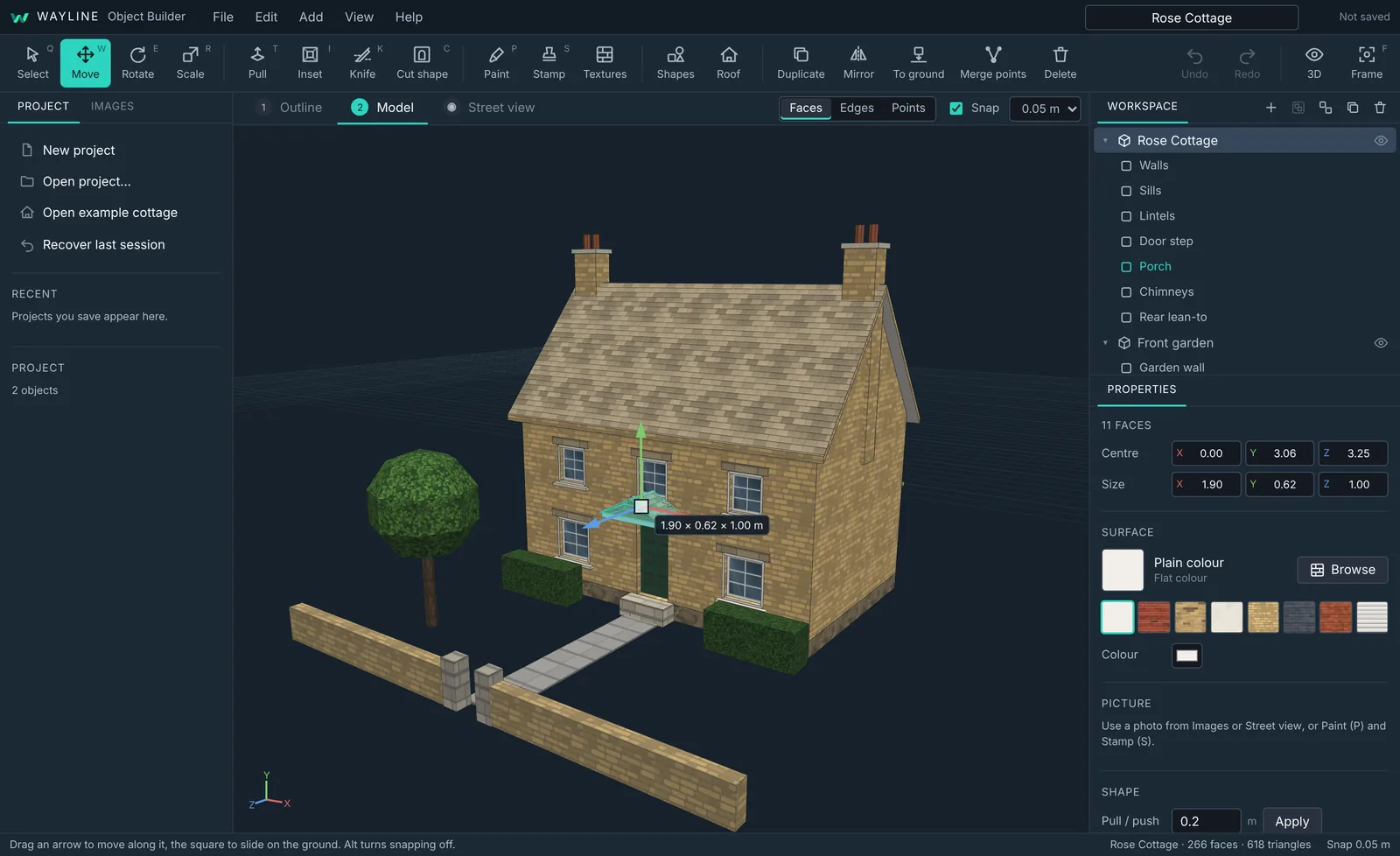
From outline to object in six steps
Click round the building on the map.
A plain block at your height.
Roof, windows, bays, porches.
Textures, photos and paint.
Shapes, walls, gardens.
One folder per object.
Simple enough for a first model
No modelling experience needed. Everything is done by dragging, and you can type exact numbers whenever you want to.
Trace it from above
Find the building on satellite imagery or OpenStreetMap, both free with no key, and click round its corners. Hold Shift to keep the corners square.
Make building gives you a plain block at the wall height you set, turned square to the grid so it's easy to work on. Nothing is guessed: the roof and details are yours.
Your first building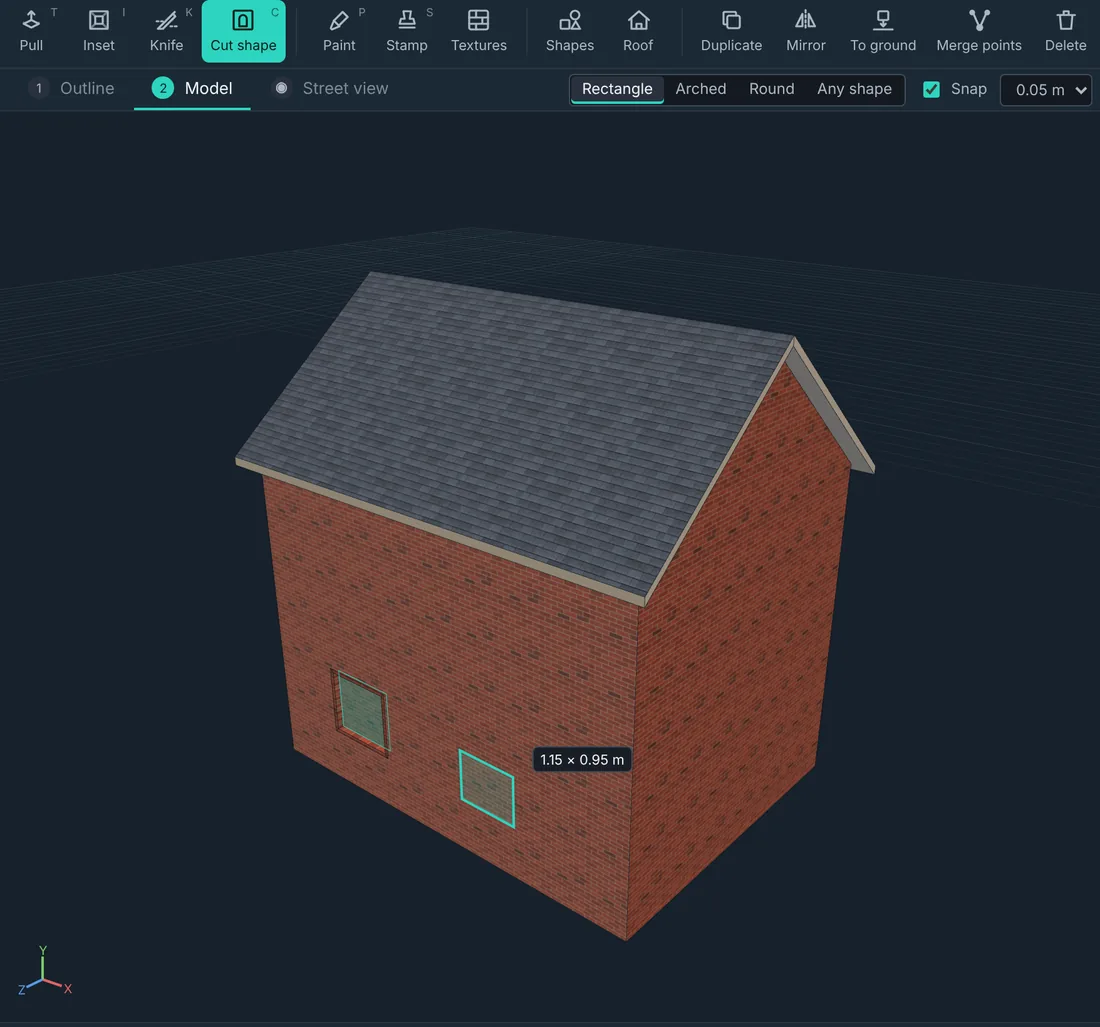
Shape it by dragging
Move, rotate and scale with handles, pull faces out for bays and porches or push them in for window reveals, inset borders, and knife a face from edge to edge.
Pick a roof (gable, hipped, half-hipped, pyramid, lean-to, mansard or gambrel) with real eaves. It's ordinary faces afterwards, so you can drag the ridge.
The tools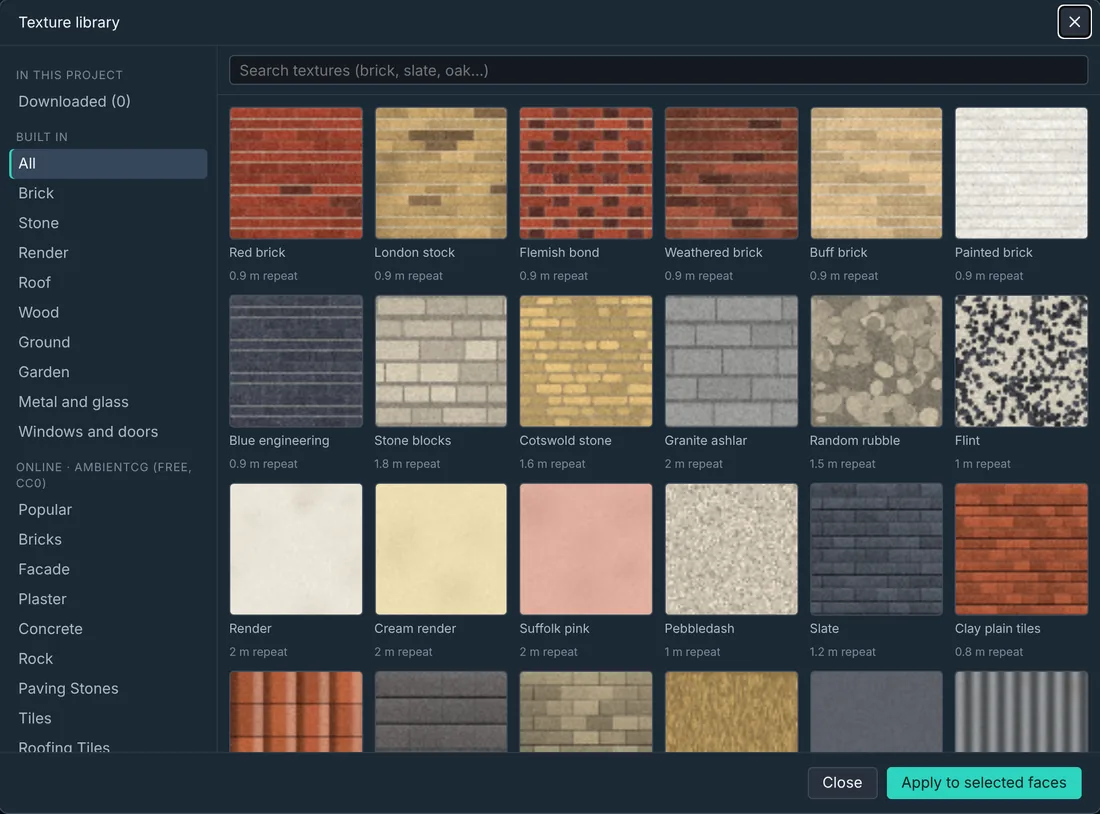
Real British materials
London stock, Flemish bond, Cotswold stone, flint, pebbledash, slate, clay tiles, pantiles, thatch, sash windows, panelled doors and more, all built in.
Tile size is set in metres, so bricks stay brick-sized on any wall: textures repeat instead of stretching. Paint colours or textures straight onto faces, kept neatly inside them.
Textures, paint and stampsPhotos from the street
Look around the street in Instant Street View right inside the app, then capture what you see.
Drag four dots onto a wall's corners and the picture is straightened and shaped to the faces you picked. Pictures stay put when you cut and pull the wall afterwards.
Street view and captures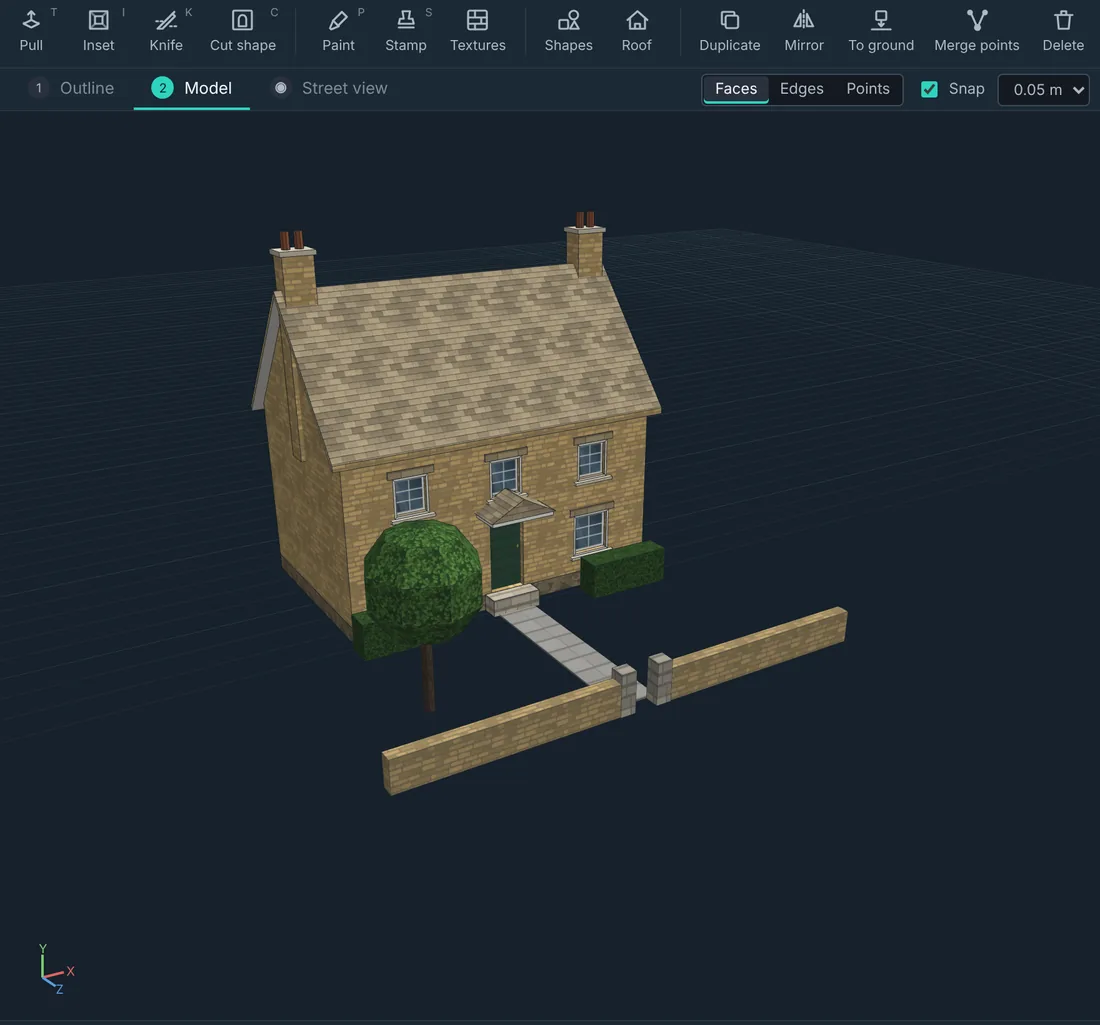
Many objects, one project
Keep a whole street's worth of objects in one project. The Workspace lists them like a scene tree: rename them, hide them, drag parts from one to another, group and ungroup.
Shapes add the rest: steps, arches, paving, garden walls, fences, hedges, kerbs, bollards, trees, lamp posts, chimneys, dormers and porches.
Objects and the WorkspaceExport, low poly, for OMSI
Each object exports separately: centred on itself, standing on the ground, with unused cuts joined and hidden faces left out so it stays light.
OMSI 2 and Wayline Studio get a ready folder with the .sco, the model and textures. OBJ and GLB are there for other 3D apps.
ExportingAlso in the box
- Undo everythingUp to 80 steps, including paint and stamps.
- Snap to a gridMoves, cuts and sizes snap to 1 cm up to 1 m; hold Alt for free.
- Faces, edges or pointsGrab a whole wall, a single ridge line or one corner.
- Stamp imagesDrop a sign or a window picture into a box on a face, keeping its shape.
- Saved in one fileA .waybuilding project holds every object and picture. Double-click to open.
- Recovery copyWritten every 30 seconds while you have unsaved changes.
- Square to the gridTraced buildings start at rotation 0, 0, 0; the map angle is kept for placing.
- Its own installerInstalls just for you, no admin rights, sharp on high-DPI screens.
Ready to build?
Object Builder is free. It's a separate app from Wayline Studio and doesn't change it: install either, or both.
Object Builder is closed-source freeware under its own licence. Wayline Studio stays open source under the GNU AGPL v3.