
Textures, paint and stamps
The texture library, tile size, ambientCG textures, painting and stamping.
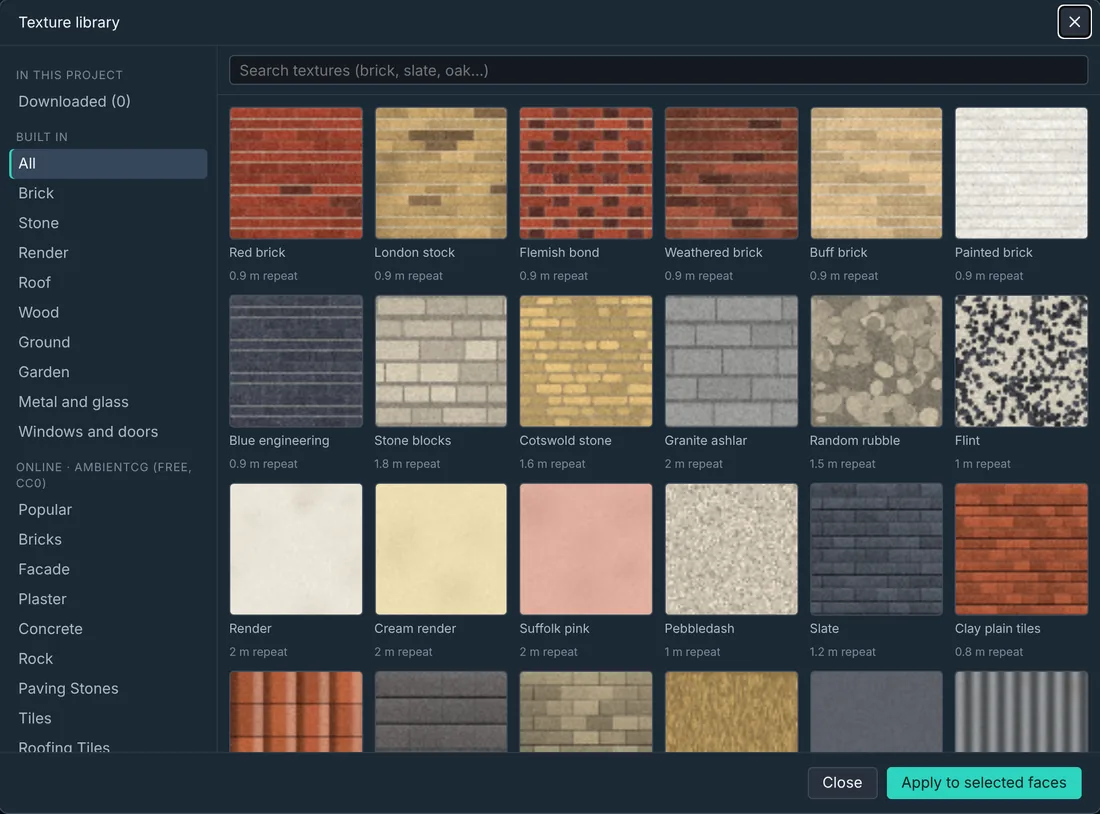
Putting a texture on
Select faces (Shift-click for several), then pick from the quick row in Properties → Surface, or choose Browse (or Textures on the ribbon) for the library.
The library has 55 built-in materials in categories: brick, stone, render, roof, wood, ground, garden, metal and glass, and windows and doors. Search by name.
Tile size, not stretching
Every texture knows its real size. Tile size is how big one repeat is in metres, so bricks stay brick-sized on any wall: the texture repeats instead of stretching.
- Keep proportions changes width and height together.
- Turn 90° turns it (useful for cladding).
- Fit once stretches one copy over the face (windows and doors fit themselves automatically).
- Real size puts the tile size back.
Tint colours a texture; white leaves it as drawn.
Free textures from ambientCG
Under Online · ambientCG, browse thousands of free photo textures (CC0) by category, or search. The one you pick downloads once, is kept inside your project, and is credited in CREDITS.txt when you export.
Paint
Paint (P) paints onto a face and stays inside it.
- Brush or Fill face.
- A colour, or paint with a texture at any scale.
- Size, Soft edge and Strength, and Erase.
Stamp
Stamp (S) asks for an image, then drag a box on a face to place it. It keeps the image's shape; hold Shift to let it stretch.